Three Edit Recipes for MiniMax H3 Image
One workflow file, three edits: place a character in a scene from two references, strip the person and keep the outfit, and build a front/side/back sheet. Plus a test of whether the JSON prompt format is needed.
What you’ll build
Three edits that people keep rebuilding as node graphs, written as one YAML file and run with one command:
- Placed: put a character into a scene, from two reference images.
- Clothes: remove the person and keep the outfit.
- Sheet: a front, side and back reference sheet from a single image.
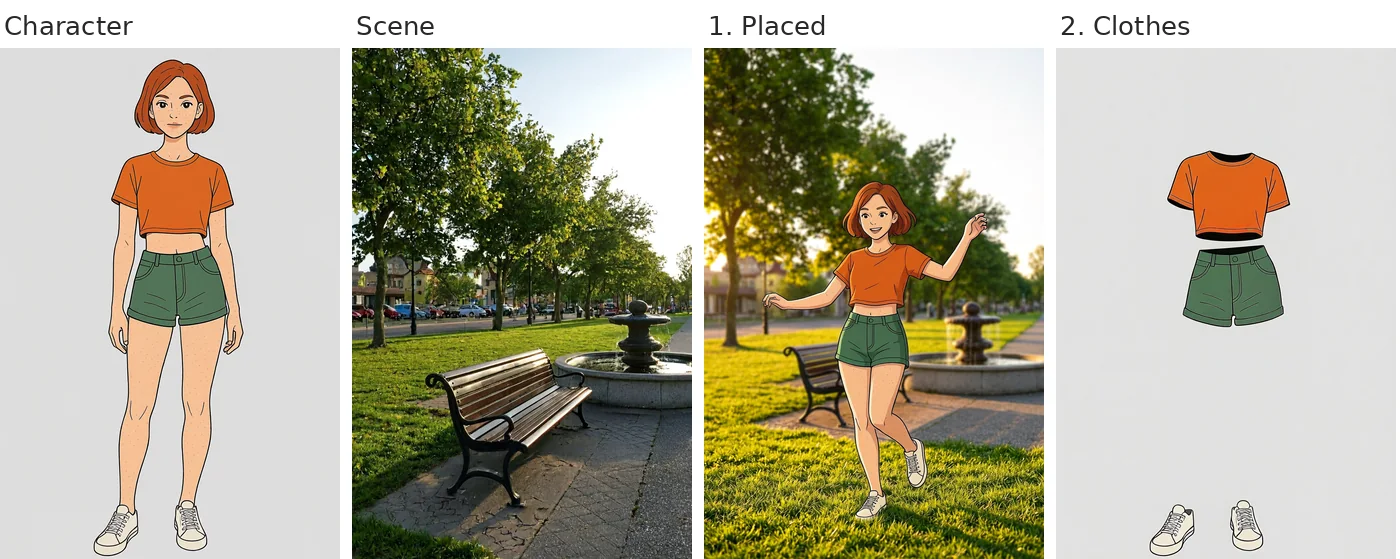
The generated character and scene, then recipes 1 and 2. Seed 7, no retries.
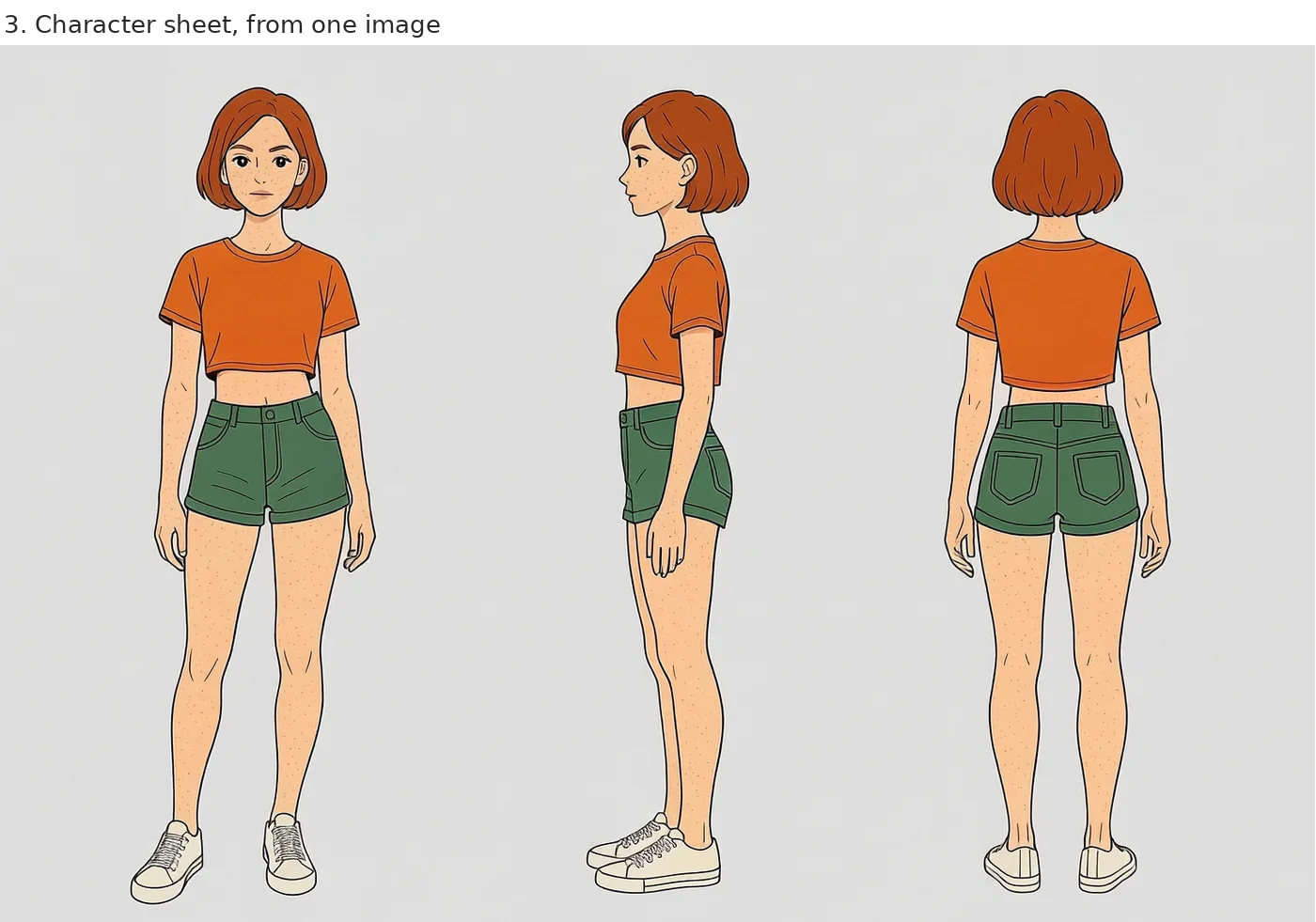
Recipe 3: a three-view sheet from the single character image.
The H3 Image community license excludes use in the EU, the UK, the US and South Korea. Read it before you pull the model.
Prerequisites
- modl 0.2.21 or later:
curl -fsSL https://modl.pedroalonso.net/install.sh | sh - The model:
modl pull minimax-h3-image - A 24 GB GPU. These runs were on an RTX 4090 with 62 GB of system RAM.
Run it
The workflow ships in the modl repo as examples/workflows/h3-edit-recipes.yaml.
The whole file took about 3 minutes from a cold start on the 4090, most of it loading the model. Once warm, a one-image edit took about 16 seconds and the two-image edit about 25.
Start the worker first. Without it, every step reloads the model.
Recipe 1: character in a scene
Pass both images to edit: as a list. The prompt says what to keep from each image, then describes the result.
- id: placed
  edit: ["$character.outputs[0]", "$scene.outputs[0]"]
  prompt: >-
    Put the woman from the first image into the park from the second image. Keep her likeness,
    hair, clothing and the illustration style; adapt her pose and lighting. Use the park loosely:
    keep the environment and time of day, the camera angle can change. She is mid-step in a
    playful dance on the grass, one arm raised, smiling, lit by warm low sun from the left. The
    wooden bench and the stone fountain sit behind her, slightly out of focus, with plane trees
    in the background.
The last sentence matters most. With a one-line prompt the character still lands in a park at the right time of day, but the bench and the fountain are gone:
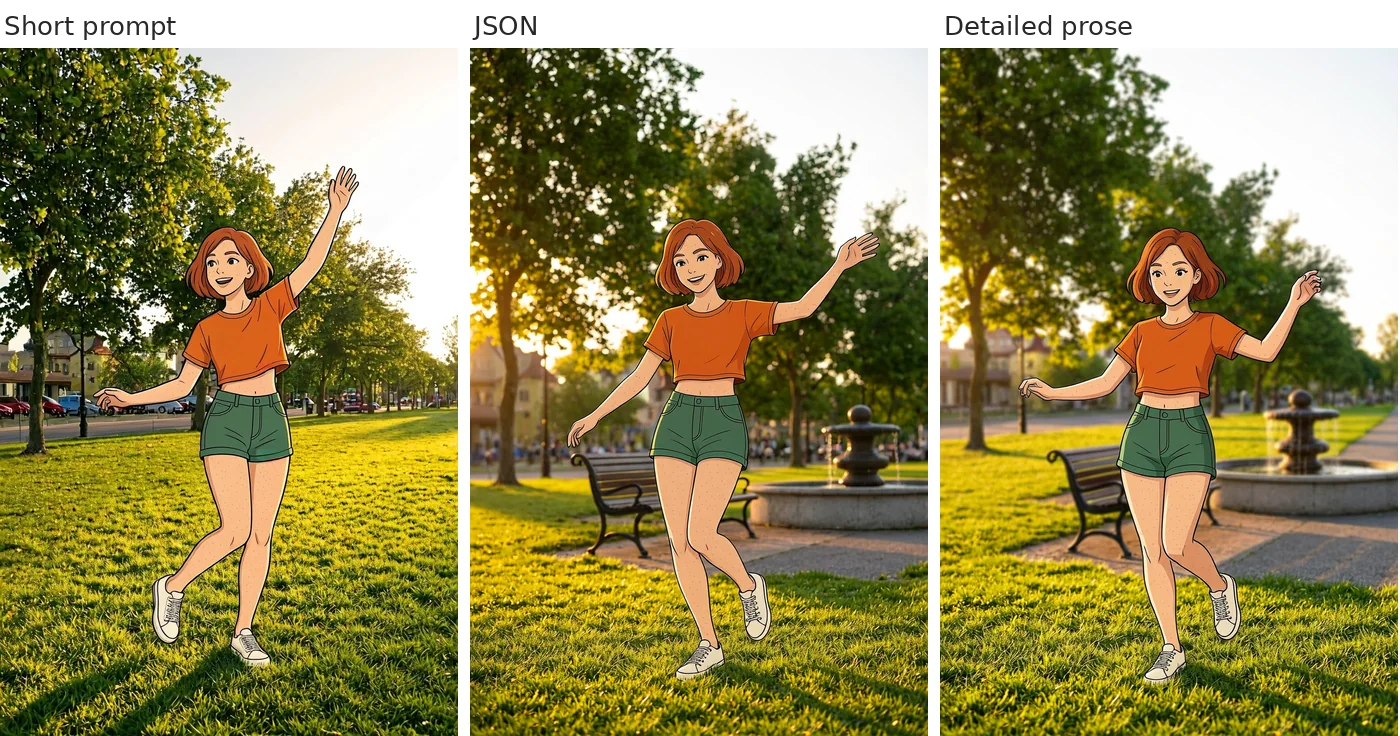
Same two references, same seed. The short prompt keeps the mood of the park and loses its landmarks.
The output framing follows the first image, so put the character first.
Recipe 2: clothes extraction
Name every garment. What you leave out tends to disappear.
- id: clothes
  edit: "$character.outputs[0]"
  prompt: >-
    Make the woman invisible and leave only her clothes. The orange cropped top, the green shorts
    and the white sneakers float in place exactly where she was wearing them, keeping their shape
    and folds as if worn by an invisible body. No skin, hair, face or limbs are visible. Same
    plain light grey studio background, same illustration style with clean line art and flat cel
    shading.
On a photographic reference with four garments this is where the prompts diverged the most:
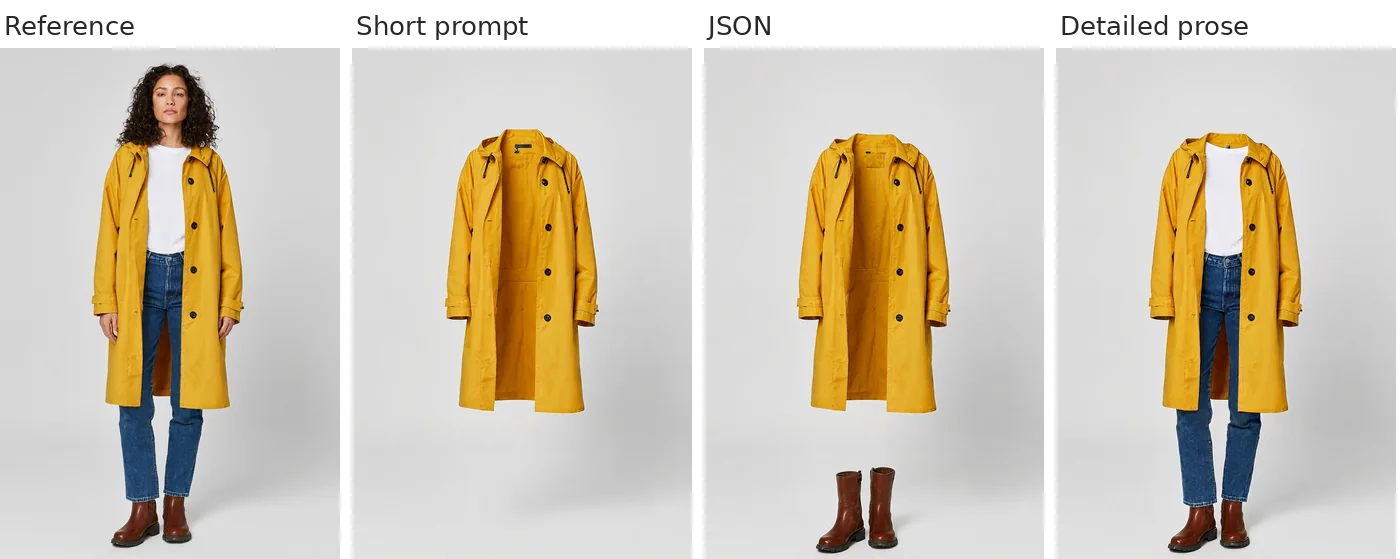
Short prompt: the coat only. JSON prompt: coat and boots. Detailed prose: all four garments.
Recipe 3: character sheet
This one needs no detail. A single sentence gave the same sheet as the long version, on both the illustration and the photo.
- id: sheet
  edit: "$character.outputs[0]"
  width: 1536
  height: 1024
  prompt: >-
    Make a character reference sheet of this woman: front view, side view and back view, side by
    side on a plain light grey background.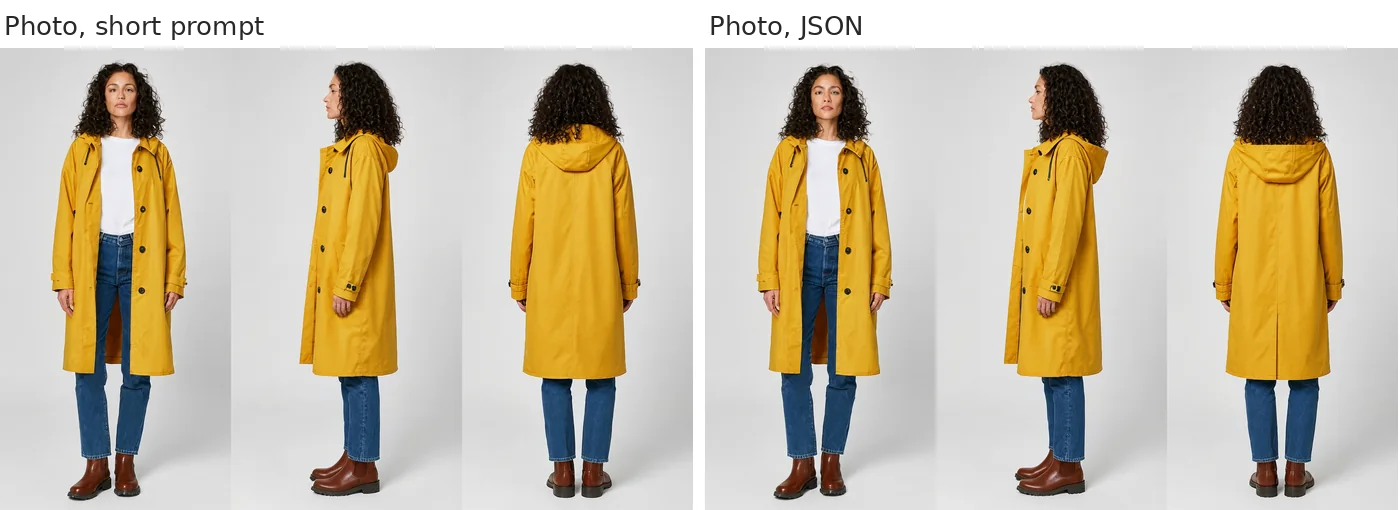
Photographic character: one-sentence prompt on the left, JSON prompt on the right.
Do you need the JSON prompt format?
A JSON prompt format circulates for this model, with a field per subject, a retention level for each (fully preserved, partially preserved, weak reference), a one-sentence summary and an expanded caption. I ran each recipe three ways, with the same seed, on an illustrated character and a photographic one:
| Recipe | Short prompt | JSON | Detailed prose |
|---|---|---|---|
| Placed, illustration | bench and fountain missing | both present | both present |
| Placed, photo | bench and fountain missing | both present | both present |
| Clothes, illustration | sneakers missing | all three garments | all three garments |
| Clothes, photo | coat only | coat and boots | all four garments |
| Sheet, both characters | three clean views | three clean views | not run |
The detail is what does the work. Prose with the same content as the JSON did as well or better in every case, and it is easier to read and edit inside a YAML file. That is why the example workflow uses prose.
This is one seed per cell. It shows the direction, not a success rate. If JSON fits your tooling better, it works too: modl passes the prompt through unchanged.
Use your own images
Add an images: map and reference each entry as $name:
images:
  hero: "./refs/hero.png"
  street: "./refs/street.jpg"

steps:
  - id: placed
    edit: ["$hero", "$street"]
    prompt: >-
      Put the person from the first image into the street from the second image. ...
Then rewrite the prompt around your content: what to keep from each image, and a description that names every element or garment you expect to see in the result.